

Grammarly
AI writing partner that helps make writing clear, credible, and mistake-free
Grammarly is an AI writing assistant that checks spelling, grammar, structure and clarity, and flags the tone of what you write. A free plan is available and includes 100 AI prompts per month; Pro and Enterprise plans also exist, with Enterprise sold through sales. It is aimed at people who want to check grammar inside desktop apps, browsers, MS Office, Google Docs and mobile apps.
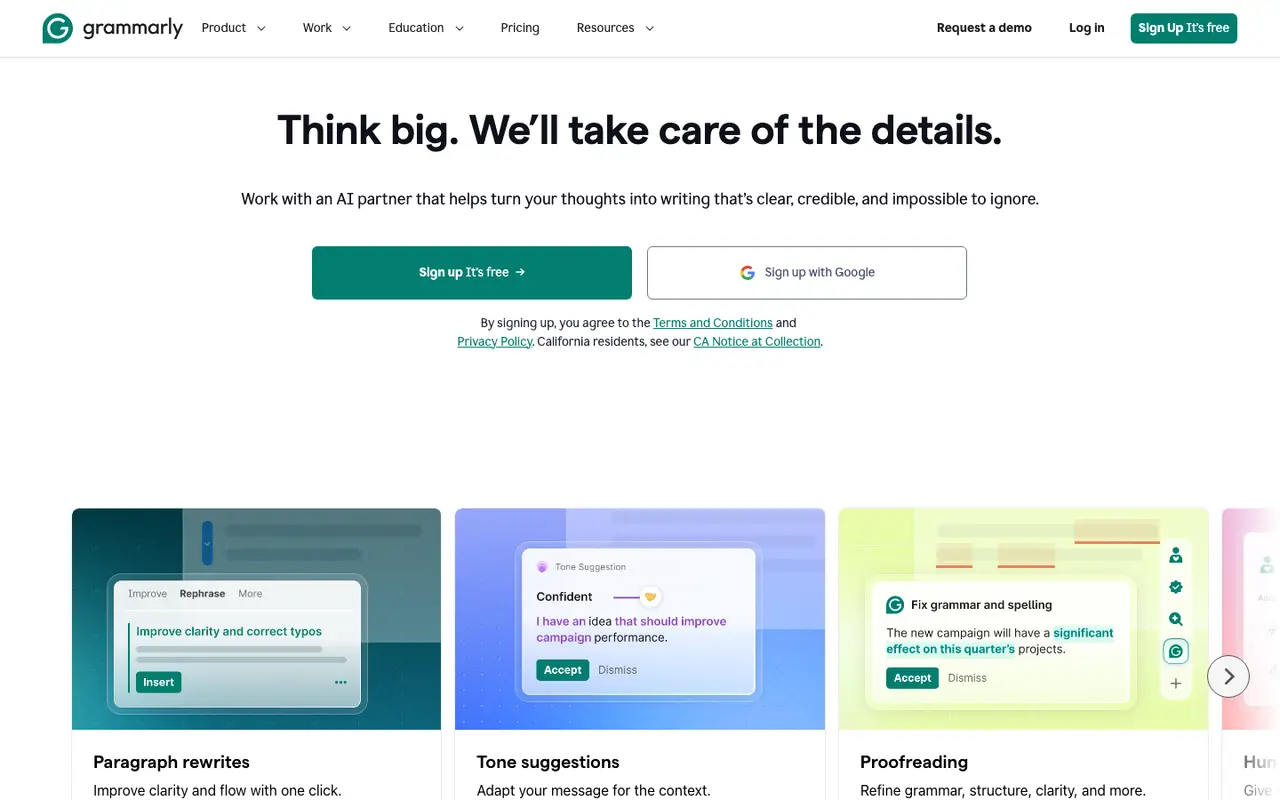
What Grammarly does
Most of what Grammarly does happens where you already type. It runs in desktop apps for Windows and Mac, as a browser extension for Chrome, Safari, Firefox and Edge, inside MS Office and Google Docs, and on iPhone, iPad and Android. As you write, it corrects spelling and grammar and proofreads for structure and clarity, so errors are caught in the email, document or form you are working on rather than in a separate editor.
Beyond corrections, it reads the tone of your text and suggests adjustments, and it can rewrite a paragraph in one click. Generative AI prompts let you draft text from an instruction: the Free plan includes 100 of these per month, while Pro raises that to 2,000 per member per month. Pro also adds full-sentence rewrites, tone adjustment, plagiarism detection and AI-text detection, and an AI Detector agent is listed for spotting AI-generated text.
For organizations, Grammarly offers style guides, brand tones and snippets so a team writes to shared rules. The plan lineup is Free, Pro and Enterprise. Enterprise is arranged through the sales team and delivered via Superhuman Go, and Grammarly itself is now part of Superhuman.
Features
- Spelling and grammar correction
- Proofreading for grammar, structure and clarity
- Tone detection and tone adjustment suggestions
- One-click paragraph and full-sentence rewrites
- AI Detector agent to spot AI-generated text
- Plagiarism detection (Pro)
- Generative AI prompts (100/month on Free, 2,000/member/month on Pro)
- Style guides, brand tones and snippets for teams
- Works in desktop apps, browser extensions, MS Office and Google Docs
Strengths and limits
Each point comes from the features and plan details above. No point is an opinion.
Strengths
- Works across Windows, Mac, browser extensions, MS Office, Google Docs, iPhone, iPad and Android.
- The free plan covers spelling and grammar correction, a view of your writing tone and 100 AI prompts per month.
- Teams can set style guides, brand tones and snippets.
- Pro includes 2,000 AI prompts per member per month.
Limits
- Plagiarism detection is a Pro feature.
- Full-sentence rewrites and tone adjustment are added on Pro rather than included on Free.
- The free plan is capped at 100 AI prompts per month.
- Enterprise is sold only through sales.
What people use Grammarly for
Grammarly FAQ
Does Grammarly have a free plan?
Yes. The Free plan corrects mistakes, shows your writing tone and includes 100 AI prompts per month.
Where can I use Grammarly?
On Windows and Mac, in Chrome, Safari, Firefox and Edge, in MS Office and Google Docs, and on iPhone, iPad and Android.
What does Pro add?
Full-sentence rewrites, tone adjustment, plagiarism and AI-text detection, and 2,000 AI prompts per member per month.
Where this listing comes from
Facts were read from these pages on Nov 6, 2026. The description was written from those facts. See the methodology.
Something out of date? Report a correction. Corrections are free.