

Cleanup.pictures
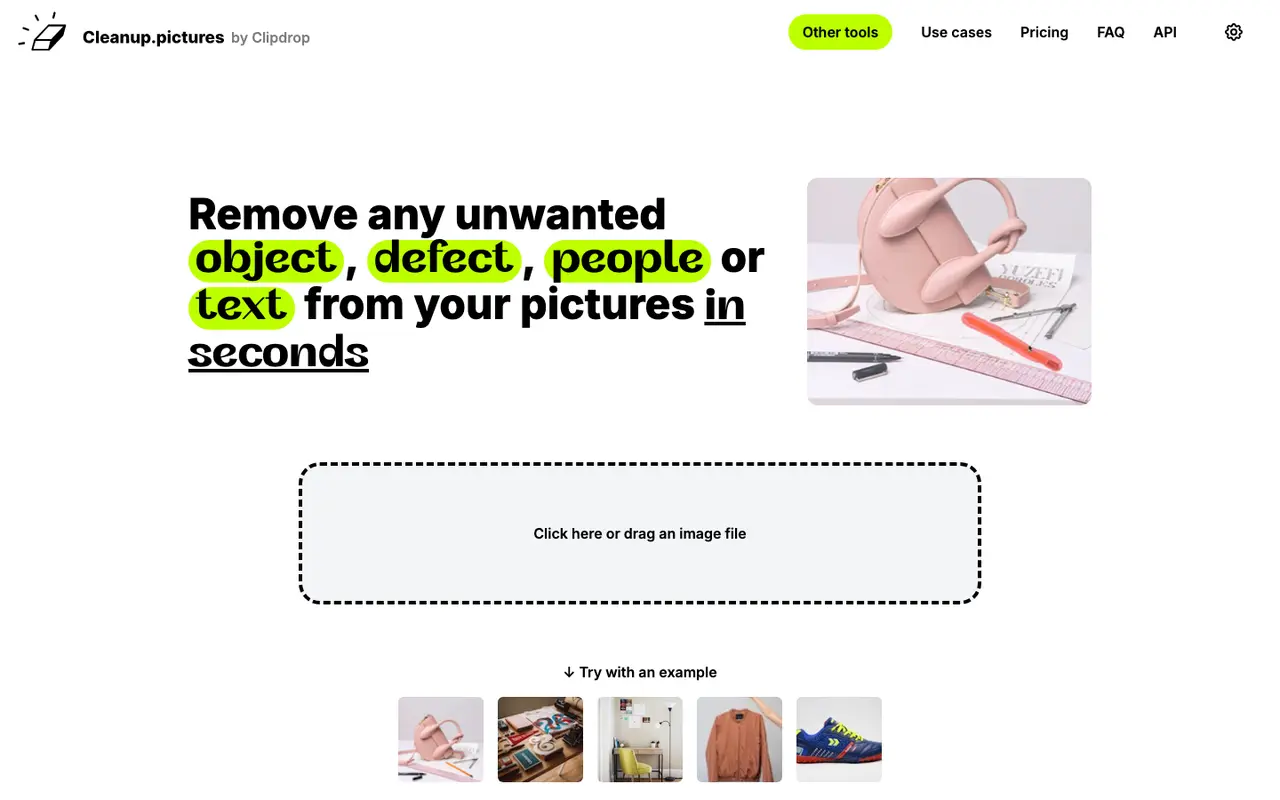
Remove any unwanted object, defect, people or text from your pictures in seconds
Cleanup.pictures is a web app, branded by Clipdrop, for erasing unwanted objects, people, text and small defects from a photo by brushing over them. The free version allows unlimited images but exports at 720px; Pro removes the size limit for $5 per month or $36 per year. An inpainting API is offered separately with usage-based pricing.
What Cleanup.pictures does
Cleanup.pictures does one job. You open a picture in the browser, paint over the thing you want gone with a brush, and the AI fills the area with what it estimates was behind it. The same brush handles people walking through a shot, stray objects, text, and blemishes or wrinkles on a portrait.
The site gives a few practical tips for better results: use a larger brush than the object, include its shadow, and draw slightly past the edge of the area. Pictures of any size can be imported, so the main difference between plans is the output. The free version allows unlimited images but caps export at 720px, while Pro has no resolution limit and adds a high quality refiner.
Pro is sold as a subscription for a single user that works on both mobile and desktop, and a trial lets people test HD exports before paying. For developers, the same inpainting is available through an API with usage-based pricing, usable from Node.js, SwiftUI, Kotlin and other environments. Background removal is not part of this tool; the site points to Clipdrop for that.
Strengths and limits
Each point comes from the features and plan details on this page. No point is an opinion.
Strengths
- The free version allows unlimited images, with exports capped at 720px.
- Pro removes the resolution limit for $5 per month, or $36 per year.
- An inpainting API with usage-based pricing works from Node.js, SwiftUI and Kotlin.
Limits
- Free exports are limited to 720px, too small for print or large displays.
- A Pro subscription is limited to 1 user.
- Background removal is not included; the site sends that job to Clipdrop.
Who Cleanup.pictures suits, by the numbers
- Best for:
- keeping costs down, since $5/mo is below the $10/mo median of 15 verified photo editing entry prices; trying it at no cost (free plan: Resolution limited to 720p); starting on Pro at $5/mo, which lists Limited to 1 user; building it into your own software through its API.
Signals used: price vs category median, free plan, entry-plan limits, platforms, as verified on Nov 20, 2026. How signals work.
Cleanup.pictures pricing
| Plan | Price | What's included (as stated) |
|---|---|---|
| Free | Free |
|
| Pro | $5/mobilled monthly |
|
Copied from Cleanup.pictures's pricing page on Nov 20, 2026. Prices change, so confirm before you buy.
Features
- Brush-based removal of objects, people and text
- Blemish and wrinkle retouching with the CleanUp brush
- Unlimited images on the free and Pro plans
- Unlimited export resolution on Pro
- High quality refiner on Pro
- Inpainting API with usage-based pricing
Cleanup.pictures FAQ
Is Cleanup.pictures free?
The free version can be used on unlimited images, but exports are limited to 720px. Higher-resolution exports need Pro, which costs $5 per month or $36 per year, and a trial lets you test HD quality first.
Can several people share one Cleanup.pictures subscription?
Each subscription is individual and limited to 1 user. It works on both mobile and desktop for that person.
Where this listing comes from
Facts were read from these pages on Nov 20, 2026. The description was written from those facts. See the methodology.
Something out of date? Report a correction. Corrections are free.
Cleanup.pictures alternatives

SnapEdit
FreemiumFrom $10/moAI photo editor online to remove objects, erase backgrounds and enhance images
Photo Editing
PicWish
FreemiumFrom $6.99/moThe Easiest AI Photo Editor. Your all-in-one free AI photo editor.
Photo Editing
Fotor
FreemiumFrom $8.99/moOnline photo editor for everyone
Photo EditingImage Generation
Inpaint
Free trialFrom $29.99/yrRemove unwanted objects from photos on Windows and Mac
Photo Editing